Parties · 12 questions
Halloween costume contest voting with a QR code
Best costume overall?
Contestant 1 · Contestant 2 · Contestant 3 · Contestant 4 · Contestant 5
Replace the clapping vote with a clear list of contestants that guests can answer from their phones. Review duplicate-vote settings before sharing: anonymous voting does not guarantee one verified person per vote.
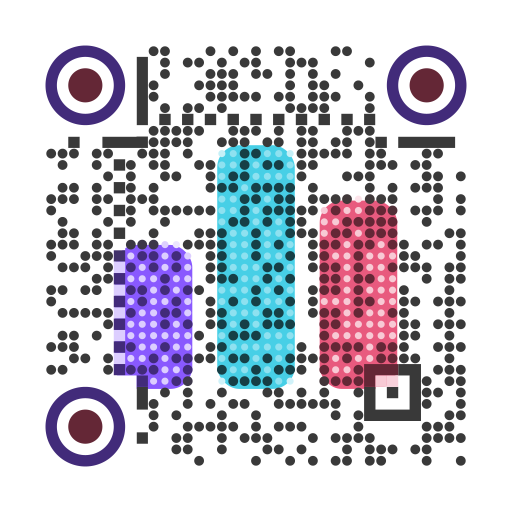
Make one poll per category, list the contestants as options, and put the QR code on the screen or on the door.
Choose the plan for your actual event
Enter your entry count and expected responses. This compares existing plans; it creates no poll and starts no payment.
Free supports up to 20 choices and 100 responses per poll.
Creator supports up to 100 choices and 1000 responses for USD 6.00 per month, billed monthly.
Creator is a renewing monthly subscription. You can cancel future renewal in billing.
Eligible teachers keep the current teacher offer. Check eligibility before subscribing.
Start with the free example. If your event needs a paid plan, your draft is kept through sign-in and checkout.
QR Code Contest Voting for EventsHow to run it
- Collect contestant names (or numbers pinned to costumes) an hour before judging.
- Open a category below and replace the sample contestants. Paste your full list one entry per line, then compare plans using the entries and responses expected in each poll.
- Set a closing time, results visibility and a tie-break rule before publishing. Share the separate QR code for each category and close voting at the announced time.
The questions
Each link opens the editor with the question already written. Change anything, then publish and put the QR code on screen.
- 01 · Multiple choiceUse this →
Best costume overall?
- Contestant 1
- Contestant 2
- Contestant 3
- Contestant 4
- Contestant 5
- 02 · Multiple choiceUse this →
Scariest costume?
- Contestant 1
- Contestant 2
- Contestant 3
- Contestant 4
- 03 · Multiple choiceUse this →
Funniest costume?
- Contestant 1
- Contestant 2
- Contestant 3
- Contestant 4
- 04 · Multiple choiceUse this →
Most creative homemade costume?
- Contestant 1
- Contestant 2
- Contestant 3
- Contestant 4
- 05 · Multiple choiceUse this →
Best group or couple costume?
- Group 1
- Group 2
- Group 3
- 06 · Multiple choiceUse this →
Best pet costume?
- Pet 1
- Pet 2
- Pet 3
- 07 · Multiple choiceUse this →
Best last-minute costume?
- Contestant 1
- Contestant 2
- Contestant 3
- 08 · Rating 1–5Use this →
Rate the party decorations.
- 09 · Multiple choiceUse this →
Best Halloween candy?
- Chocolate bars
- Candy corn
- Sour candy
- Chips
- Raisins (be honest)
- 10 · Multiple choiceUse this →
Best Halloween movie?
- Halloween
- Hocus Pocus
- The Nightmare Before Christmas
- Beetlejuice
- Something else
- 11 · Multiple choiceUse this →
Trick or treat?
- Trick
- Treat
- 12 · Open textUse this →
What should next year's party theme be?
Tips from running these live
- Use numbers, not names, if people don't all know each other. Pin a number to each costume.
- Choose results after close if you want to keep the tally hidden until voting ends. Results after voting can still influence people who hear the totals from other guests.
- Print the QR on the door as people arrive so they can vote all night; close the poll at judging time.
- Test duplicate-vote controls before the event. The default uses a device cookie, so guests sharing Wi-Fi can vote separately. Clearing cookies or using another browser can allow another vote; voter identity is not verified.
- For next year's event, use Use for next event on the closed poll to prepare a new draft and QR code. Reopening the original keeps its old votes.
Common questions
How do I run halloween costume contest voting with a QR code?
1. Collect contestant names (or numbers pinned to costumes) an hour before judging. 2. Open a category below and replace the sample contestants. Paste your full list one entry per line, then compare plans using the entries and responses expected in each poll. 3. Set a closing time, results visibility and a tie-break rule before publishing. Share the separate QR code for each category and close voting at the announced time.
How many questions are in this set?
12 questions. Open any of them in the editor and change the wording or the choices before you publish.
Any tips from running these live?
Use numbers, not names, if people don't all know each other. Pin a number to each costume. Choose results after close if you want to keep the tally hidden until voting ends. Results after voting can still influence people who hear the totals from other guests. Print the QR on the door as people arrive so they can vote all night; close the poll at judging time.
Is it free to use these questions?
Yes. Copying the questions is free, and the free plan takes up to 100 responses per poll. You can make your first poll without an account.
More question sets
- EventsAudience choice contest voting templates
- PartiesHoliday party poll questions for the office
- Any roomHalloween trivia questions with answers
- PartiesSecret Santa poll questions for your gift exchange
- PartiesNew Year's predictions poll for friends and teams
- PartiesOffice party awards voting with a QR code
- PartiesChristmas party voting poll: theme, food, music and games
- PowerPoint pollA live poll in PowerPoint, no plugin.
- Google Slides pollA live poll on any Google Slides slide.
Your audience joins by scanning a QR code.
No app and no account for voters, and no account needed to make the poll either.